How AI Is Changing the Way Small Businesses Work in 2026
Running a small business often means handling several responsibilities at once. One person might manage customer enquiries, prepare invoices, create marketing content, update spreadsheets, coordinate employees, and keep track of sales.

Running a small business often means handling several responsibilities at once. One person might manage customer enquiries, prepare invoices, create marketing content, update spreadsheets, coordinate employees, and keep track of sales.
For a long time, completing these tasks required additional employees, expensive software, or hours of manual work. Artificial intelligence is beginning to change that.
In 2026, AI for small businesses is no longer limited to experimenting with chatbots or generating social media captions. Businesses are using AI to automate repetitive processes, understand customers, manage information, improve marketing, and make everyday decisions.
The change is particularly important for smaller companies that need to compete with larger organisations but have limited budgets and resources.
However, adopting AI doesn't mean replacing every existing business process. The real opportunity lies in identifying where technology can save time, reduce errors, and help people concentrate on more valuable work.
Let's explore how AI is changing the way small businesses operate, which tools are worth understanding, and how business owners can start using them effectively.
Why AI Is Becoming Important for Small Businesses in 2026
Artificial intelligence has become more accessible. Businesses no longer need large technical teams to experiment with AI-powered applications.
Many tools now offer ready-to-use features for writing, customer communication, document processing, data analysis, image generation, and workflow automation.
Recent research also shows how quickly this change is happening.
According to the OECD's 2026 D4SME survey, 61% of surveyed SMEs reported using AI. However, 76% of these businesses were still classified as AI novices, primarily using ready-made tools for individual tasks rather than integrating AI throughout their operations.
The OECD also found that automation and access to wider markets are important benefits of digital adoption, while training time, maintenance costs, and skills gaps remain obstacles.
This highlights an important distinction: using AI occasionally and building an AI-supported business are two different things.
For a small business, AI can help in several practical ways:
- Save working hours: Automate repetitive administrative and communication tasks.
- Reduce manual effort: Process documents, organise information, and prepare reports.
- Improve customer experience: Respond to common questions and provide quicker assistance.
- Support marketing: Generate content ideas, analyse campaigns, and create visual material.
- Improve decision-making: Identify patterns in sales, expenses, and customer behaviour.
- Expand capabilities: Allow smaller teams to handle more work without immediately increasing their headcount.
The goal isn't to use AI everywhere. It's to use it where it provides measurable value.
8 Practical Ways AI Is Changing Small Business Operations
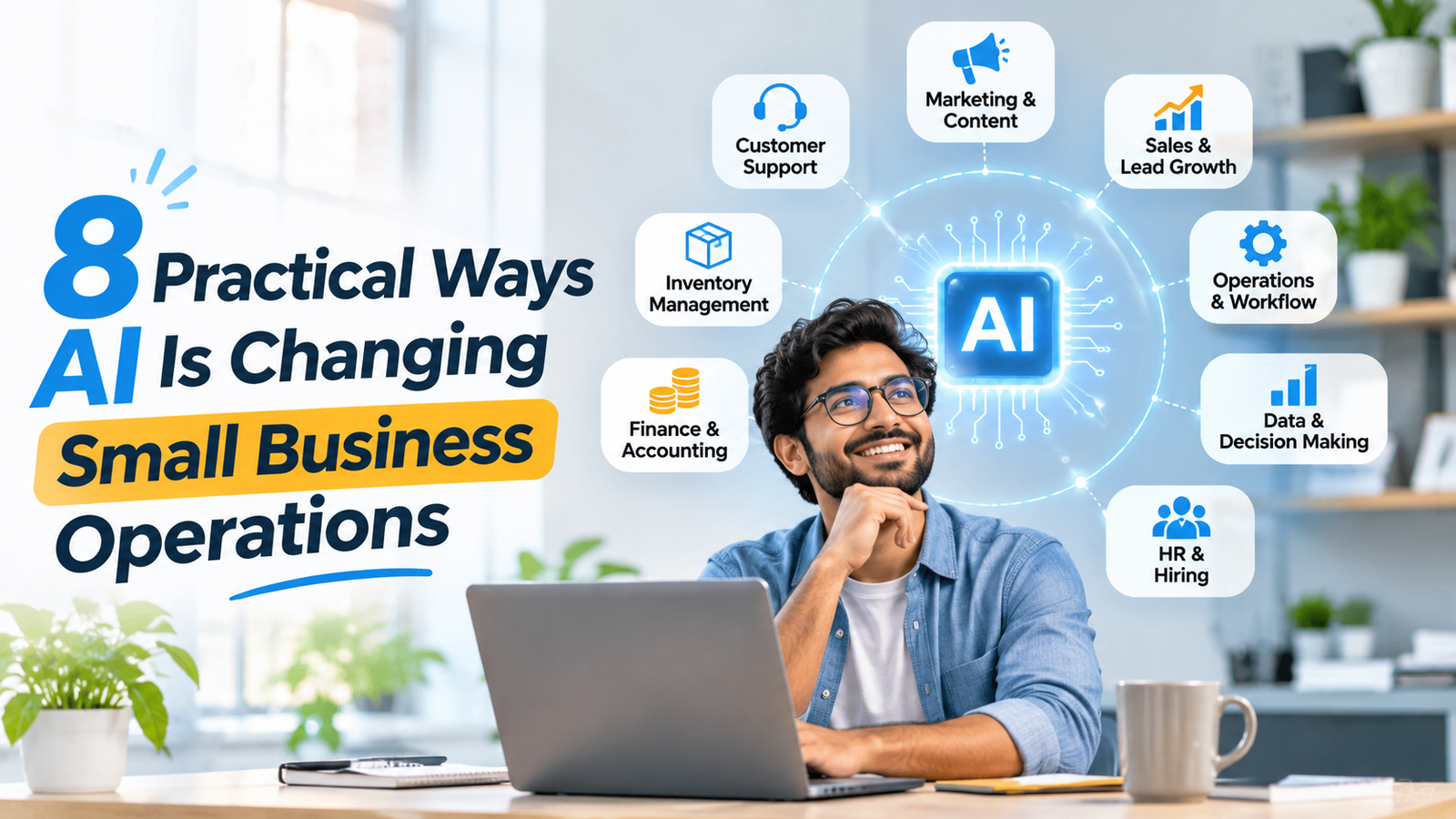
AI is influencing almost every department of a modern business. Here are eight areas where small businesses can put it to practical use.
1. Marketing and Content Creation Are Becoming Faster
Marketing is one of the most accessible starting points for AI adoption.
Small businesses often struggle to maintain a consistent online presence because creating content takes time. Writing blogs, preparing social media posts, designing advertisements, and planning campaigns can become full-time responsibilities.
AI tools help simplify these activities.
For example, a local restaurant can use AI to:
- Generate weekly social media content ideas.
- Write promotional captions for new dishes.
- Prepare email newsletters.
- Create campaign concepts for seasonal offers
- Research relevant blog topics.
- Develop initial advertising copy.
Visual AI tools can also help create design concepts, product backgrounds, and promotional images.
Practical example:
Imagine a small clothing business preparing for a festive sale.
Instead of starting every marketing task from scratch, the owner can use an AI assistant to develop a seven-day campaign, generate caption variations, suggest promotional messages, and prepare an email announcement.
A designer or marketing professional can then refine the content to match the brand's identity.
This reduces the time spent on repetitive preparation while keeping creative decisions in human hands.
2. Customer Support Is Becoming More Automated
Customer communication is another area where small businesses spend considerable time.
Customers frequently ask similar questions:
- What are your working hours?
- Do you offer home delivery?
- Where can I track my order?
- What payment methods do you accept?
- How can I book an appointment?
Answering these questions individually can interrupt other important work.
AI-powered chatbots and virtual assistants can handle many routine enquiries through websites and supported messaging platforms.
They can provide information, collect customer details, guide users through common processes, and direct complicated enquiries to a human representative.
Practical example:
A small home appliance repair company receives enquiries through its website.
An AI-powered assistant can ask customers about their appliance type, location, and issue. It can collect the necessary details and forward the enquiry to the service team.
The employee can then focus on scheduling and resolving the actual service request instead of collecting the same information repeatedly.
Important consideration: AI assistants should not independently make promises about delivery dates, refunds, prices, or service availability unless they have access to accurate, updated business information.
3. Business Automation Is Reducing Repetitive Administrative Work
Administrative tasks are often invisible time consumers.
Small business owners regularly deal with invoices, order records, customer information, spreadsheets, approval requests, and internal reports.
Many of these activities follow predictable steps, making them suitable for automation.
AI can help interpret unstructured information, while automation software moves information between applications and triggers predefined actions.
Some practical applications include:
- Extracting information from invoices.
- Organising customer enquiries.
- Categorising incoming emails.
- Preparing expense summaries.
- Generating routine reports.
- Sending reminders for pending tasks.
- Transferring approved information between business systems.
Practical example: Automated invoice processing
Consider a small distribution business that receives dozens of supplier invoices every week.
A traditional process might look like this:
- An employee opens an invoice.
- They manually enter the supplier name and invoice number.
- They copy product descriptions and quantities.
- They calculate or verify totals.<
- They enter the information into accounting software.
- They forward the invoice for approval.
With an AI-assisted workflow, the process can become:
- The invoice arrives through email or a document-upload system.
- AI extracts relevant information.
- The extracted details are checked against predefined rules.
- The system prepares the required accounting entry.
- Exceptions are flagged for employee review.
- An authorised person approves the transaction.
This is a practical example of how AI and business automation can work together.
The important point is that AI interprets the document, while the automation workflow handles the next steps.
4. Sales and Lead Management Are Becoming More Organised
For small businesses, missing a potential customer can mean losing an important sales opportunity.
However, managing leads manually is difficult when enquiries arrive through multiple channels.
AI-powered CRM systems can help businesses organise customer information, identify potential leads, summarise previous conversations, and suggest follow-up actions.
For example, a digital marketing agency might receive enquiries from its website, email, social media, and advertising campaigns.
An AI-supported CRM workflow can:
- Collect incoming leads.
- Categorise enquiries based on their requirements.
- Summarise customer conversations.
- Identify enquiries that need immediate attention.
- Prepare personalised follow-up messages.
- Remind employees about pending discussions.
Practical example:
A customer submits an enquiry requesting website development services.
The system records the customer's requirements, identifies the type of project, assigns the lead to the relevant sales employee, and prepares a suggested response.
The employee reviews the details and contacts the customer.
This helps small teams maintain better communication without relying entirely on manual tracking.
5. Financial Planning and Data Analysis Are Becoming Easier
Financial management is essential for every business, but not every small business can afford a dedicated data analyst.
AI-powered analysis tools can make business information easier to understand.
When connected to reliable financial or sales data, these tools can help identify:
- Monthly sales patterns.
- Changes in operating expenses.
- Frequently purchased products.
- Customer purchasing trends.
- Inventory movement.
- Unusual transactions.
- Differences between expected and actual performance.
Practical example:
A small retail store maintains monthly sales information in a spreadsheet.
Instead of manually reviewing hundreds of rows, the owner can use an AI-enabled analysis tool to identify the best-selling products, compare monthly performance, and highlight categories experiencing declining sales.
This can support better inventory and purchasing decisions.
However, AI-generated financial insights should always be checked against the original records. Businesses should not rely on an AI-generated calculation without verifying the underlying data.
6. Inventory and Supply Chain Management Are Becoming Smarter
Inventory management can be challenging for businesses that sell physical products.
Ordering too much inventory ties up money, while ordering too little can result in missed sales.
AI can help analyse historical sales, seasonal trends, stock movement, and other relevant information to support inventory planning.
For example, a small grocery business can analyse:
- Which products sell most frequently.
- Which items experience seasonal demand.
- Which products are approaching their reorder levels.
- Which items have remained unsold for longer periods.
- How demand changes during weekends or promotional periods.
AI-based demand forecasting can help owners make more informed purchasing decisions.
However, predictions are only as reliable as the information behind them. Unexpected demand changes, supplier delays, and inaccurate inventory records can affect the results.
AI should support inventory decisions rather than automatically control purchasing without suitable checks.
7. Website Management and SEO Are Becoming More Accessible
A business website needs regular attention.
It requires updated information, useful content, clear product descriptions, relevant landing pages, and ongoing search engine optimisation.
Small businesses often lack dedicated website and SEO teams.
AI can assist with several website-related activities, including:
- Generating initial blog outlines.
- Researching content ideas.
- Creating product description drafts.
- Improving readability.
- Suggesting relevant headings.
- Identifying content gaps.
- Preparing frequently asked questions.
- Analysing website performance data.
For example, a small air-conditioning service company can use AI to develop educational blog topics around air-conditioning maintenance, installation, energy efficiency, and common cooling problems.
An SEO professional can then review the technical information, add local expertise, verify claims, and optimise the final article.
AI can accelerate content production, but publishing unreviewed AI-generated articles is not a reliable SEO strategy.
Useful content still needs accurate information, originality, relevant experience, and genuine value for readers.
8. Recruitment and Employee Productivity Are Improving
Hiring and managing employees can be time-consuming for smaller organisations.
AI tools can help with administrative aspects of recruitment and workforce management.
Some applications include:
- Drafting job descriptions.
- Preparing interview questions.
- Summarising meeting discussions.
- Creating employee training materials.
- Organising internal documentation.
- Preparing project updates.
- Tracking routine tasks.
For example, a small company hiring a customer support executive can use AI to prepare a job description and create a structured list of interview questions.
The hiring manager remains responsible for evaluating candidates and making the final decision.
AI should not be allowed to make sensitive hiring decisions without appropriate human oversight, fairness checks, and legal review.
Which AI Tools Can Small Businesses Use in 2026?
Choosing the right AI tools is more important than collecting a large number of subscriptions.
A small business usually needs a few tools that solve specific problems. The ideal combination depends on its industry, team size, existing software, and budget.
Here are some useful categories and examples to explore.
|
Tool |
Main purpose |
Potential business use |
|---|---|---|
|
ChatGPT |
AI assistance and analysis |
Writing, research, customer communication, data analysis |
|
Google Gemini |
AI assistance |
Document work, brainstorming, information processing |
|
Microsoft Copilot |
Workplace productivity |
Working with documents, emails, and business information |
|
Canva |
Design and content creation |
Social media graphics, presentations, promotional material |
|
Zapier |
Workflow automation |
Connecting applications and automating repetitive tasks |
|
HubSpot |
Customer relationship management |
Lead organisation, sales tracking, customer communication |
|
Notion |
Business organisation |
Documentation, task management, internal knowledge |
These are examples rather than a universal ranking. Their AI capabilities, integrations, subscription requirements, and regional availability differ.
How to Choose the Right AI Tools
Before purchasing a subscription, consider the following:
- Identify the problem: Decide whether you need help with writing, customer support, accounting, or automation.
- Check existing software: Your current business applications may already include useful AI features.
- Compare capabilities: Check whether the tool supports the tasks you actually need.
- Review data protection: Understand how customer and business information is stored and processed.
- Test before committing: Start with a small workflow and evaluate the results.
- Calculate the value: Compare subscription costs with the time and resources saved.
For example, a freelancer may only need an AI writing assistant and a design platform, while an online retailer may benefit more from customer support automation and inventory analysis.
How Small Businesses Can Start Using AI
One common mistake is trying to automate an entire business immediately.
A better approach is to start with one repetitive activity, understand how AI handles it, and gradually expand its use.
Here is a practical implementation plan.
Step 1: Identify Time-Consuming Tasks
Make a list of activities that consume significant working hours.
Examples include:
- Responding to repetitive customer enquiries.
- Preparing invoices and reports.
- Writing marketing content.
- Updating spreadsheets.
- Following up with potential customers.
- Organising business documents.
Identify tasks that happen frequently and follow predictable processes.
Step 2: Select One Suitable AI Tool
Choose a tool based on the specific task.
For example:
- Content preparation: ChatGPT or Gemini.
- Graphic design: Canva.
- Business communication: Microsoft Copilot or Gemini in Workspace.
- Workflow automation: Zapier.
Avoid purchasing multiple tools that perform almost identical functions.
Step 3: Create a Simple Workflow
Start with a process that has a clear beginning and end.
For example, a website enquiry workflow might look like this:
Customer submits an enquiry
Website contact formAI analyses the enquiry
Identifies requirements and enquiry typeAutomation records the lead
Stores customer details in a CRMSales team receives a notification
Employee reviews and follows upThis is a suggested workflow, not a claim that every AI tool provides all these features independently.
Step 4: Test the Results
Run the AI-assisted process alongside your existing manual process initially.
Compare:
- Time required to complete the task.
- Accuracy of the output.
- Number of errors.
- Employee effort.
- Overall operating cost.
If the results are consistently useful, consider expanding the workflow.
Step 5: Train Employees and Establish Guidelines
Employees should understand what the AI tool can do, where it can make mistakes, and which information should never be shared without approval.
Create simple guidelines covering:
- Approved AI applications.
- Confidential business information.
- Customer data handling.
- Human approval requirements.
- Output verification.
- Reporting errors or unusual results.
Training is essential because purchasing an AI subscription does not automatically improve the way a business operates.
Challenges Small Businesses Should Consider Before Adopting AI
AI offers useful opportunities, but adopting it without proper planning can create new problems.
The OECD's 2026 research identifies maintenance costs, limited training time, and skills gaps as important barriers for SMEs.
Here are some other important considerations.
1. AI Can Produce Incorrect Information
AI-generated content can sound convincing even when it contains inaccurate information.
This is particularly important when preparing financial reports, technical explanations, legal documents, or customer-facing communication.
What to do: Verify important facts, calculations, and recommendations before using them.
2. Customer Privacy and Data Security Matter
Some business workflows involve personal information, financial records, customer details, and confidential documents.
Uploading sensitive information to an AI platform without understanding its data policies can create privacy and security risks.
What to do:
- Review the provider's privacy and data-retention policies.
- Use suitable business accounts and security controls.
- Avoid sharing unnecessary personal information.
- Restrict access to sensitive documents.
- Enable multi-factor authentication where available.
The US Federal Trade Commission also recommends access controls, encryption, and multi-factor authentication as important small-business security practices.
3. AI Tools Can Increase Business Costs
Many AI applications offer free access with usage limits, while advanced features may require paid subscriptions.
Businesses can end up paying for multiple overlapping tools without receiving enough value.
What to do: Calculate the expected benefit before upgrading. Review subscriptions regularly and cancel tools that are not contributing to business operations.
4. Employees Need Time to Adapt
Introducing new technology can change established working processes.
Employees may need training to use AI tools correctly, review generated outputs, and understand new responsibilities.
What to do: Introduce AI gradually and involve employees in choosing workflows that genuinely reduce their workload.
5. Too Much Automation Can Affect Customer Experience
Not every interaction should be handled by an automated system.
Some customers need personalised assistance, especially when dealing with complaints, complicated purchases, refunds, or sensitive matters.
What to do: Keep a clear option for customers to speak with a human representative.
6. AI Does Not Understand Every Business Context
AI tools may not automatically understand your pricing policies, industry regulations, internal processes, or customer expectations.
What to do: Provide accurate business information, define clear instructions, and establish human review for important decisions.
What Will the Future of AI Look Like for Small Businesses?

The next phase of AI adoption is likely to involve deeper integration with everyday business applications.
Rather than using separate tools for individual tasks, businesses are increasingly exploring systems that can coordinate multiple steps within a workflow.
One development worth watching is AI agents.
Unlike a conventional AI assistant that primarily responds to individual instructions, an AI agent can be designed to perform a sequence of tasks towards a defined objective, using connected tools and operating within specified permissions.
For example, a business could explore an AI-supported sales workflow that:
- Reviews incoming customer enquiries.
- Identifies the type of service requested.
- Checks relevant customer records.
- Prepares a suggested response.
- Creates a follow-up task.
- Notifies the responsible employee.
The actual capabilities depend on the systems connected, permissions granted, and safeguards established.
Other developments worth following include:
- Smarter business analytics: AI-assisted interpretation of sales, customer, and operational data.
- More connected applications: Business software sharing information through automated workflows.
- Personalised customer experiences: More relevant recommendations and communication.
- Document intelligence: Better extraction and organisation of information from business documents.
- AI-supported decision-making: More accessible forecasting and business insights.
However, adoption will not happen at the same pace everywhere. Industry requirements, infrastructure, costs, employee skills, and local regulations will influence how quickly individual businesses can benefit.
For small businesses, the opportunity is not simply to adopt the newest technology. It is to build efficient operations around tools that solve real problems.
Conclusion
Artificial intelligence is changing how small businesses manage their daily operations, communicate with customers, approach marketing, and make business decisions.
What once required significant manual effort can now be supported by accessible AI applications and automation workflows.
However, successful adoption is not about using every available AI tool. It is about identifying the tasks that consume the most time and finding practical ways to improve them.
Small businesses should begin with manageable projects, evaluate the results, protect their information, and involve employees throughout the process.
The businesses that benefit most from AI will not necessarily be those using the most advanced technology. They will be the ones that understand where AI can make their work better.
Frequently Asked Questions
Find answers to common questions about this topic.
01 How can AI help small businesses in 2026?
02 What are the best AI tools for small businesses?
Businesses should compare features, integrations, privacy policies, and costs before choosing a platform.
03 Can small businesses use AI without technical knowledge?
More advanced automation may require technical support.
04 Can AI replace employees in small businesses?
In many cases, it works best as a tool that helps employees complete tasks more efficiently rather than replacing their roles.
05 Is AI expensive for small businesses?
The important consideration is whether the time saved and improvements achieved justify the cost.
06 What is the easiest way to start using AI in a small business?
Choose a suitable tool, test its results, measure the time saved, and expand its use only when it demonstrates genuine value.
Comments (0)
Have a question or something to add? We'd love to hear from you.
Be the first to share your thoughts.